For Shopify stores
Shopify uptime monitor that phones you when your store goes down
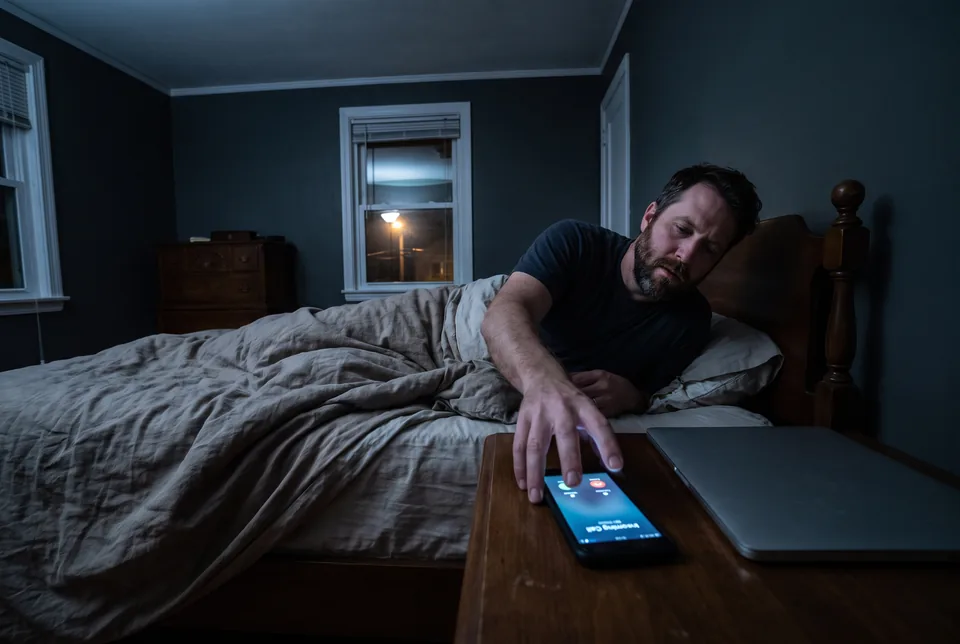
TrackDowntime checks your storefront URLs from outside every 60 seconds on Professional and Enterprise. When a check fails, the Shopify store down alert calls and texts every listed phone, repeating while the failure continues.
Professional is $99 a month or $588 a year for 25 endpoints. Phone calls and SMS are included, with no per message charges.
Add an endpoint
- Store checks
- Every 60 seconds on Professional and Enterprise
- Alert delivery
- Call and SMS to every listed phone
- Installation
- No Shopify app or theme snippet
- Downtime history
- 90 days on Professional, unlimited on Enterprise
Paste the URL, create your account, and the first check runs right away.
What a Shopify uptime monitor does
Shopify keeps its platform running and publishes a public status page, but it doesn't alert you about your individual store. Custom domain DNS, SSL on your domain, a theme or app change breaking a page, or a store put behind a password page or paused all need attention beyond platform status. An external Shopify uptime monitor checks your storefront URLs from outside every 60 seconds and calls and texts every listed phone until the store answers again. TrackDowntime judges HTTP responses, so a broken page that still returns the expected code needs content or browser testing instead.
60 s
Between checks on Professional and Enterprise
90 days
History on Professional, without a limit on Enterprise
$0
Additional charge per SMS or phone call alert
Shopify uptime monitoring that reaches the person who can act
Check the pages customers use, alert someone who can act and keep the incident record for review.
Storefront checks from outside
Each check is an HTTP GET from one network. It tests your URL against the expected status code, with no Shopify app or theme snippet to install.
Calls and texts to every listed phone
Professional and Enterprise call and text every phone number you list. Add the store owner and technical contact so someone can investigate outside business hours.
Repeat alerts without message fees
Calls and SMS repeat on the alert schedule while the endpoint remains down. Alerts are never billed per message, including when an incident runs overnight.
Explicit redirect handling
Expect 200 and untick Follow redirects on a homepage that should answer directly. A new redirect then fails the check instead of passing because its destination loads.
SSL checks and response time charts
All plans include an SSL certificate check, response time tracking and a chart. Review these together when investigating your domain. HTTP response measurements aren't browser performance scores.
Downtime history you can export
Keep incident logs, downtime minutes and uptime percentages per endpoint. Export CSV records for sale reviews, or use Enterprise reports carrying your agency's brand name for client discussions.
Set up your Shopify downtime alert
Step 1
Add your store URL
Start with the homepage URL on your custom domain. Choose Professional or Enterprise for 60 second checks, then add the other pages below.
Step 2
Set expected code and redirects
Set Expected Status Code to 200 for a homepage that answers directly. Untick Follow redirects to catch unexpected redirects. Confirm the normal URL works with those settings before relying on its alerts.
Step 3
Add the phones that should ring
List the numbers of people able to act. Every listed number receives both the call and SMS, without waiting for another person to answer first.
Step 4
Get calls when the check fails
Alerts begin when the endpoint fails its configured check and repeat while it remains down. Timeouts are rechecked before an incident opens to reduce false alarms.
Does Shopify tell you when your store is down?
No. Shopify's public status page at shopifystatus.com covers platform incidents, not individual stores. It doesn't replace checks against your own domain and pages.
A custom domain points its DNS to Shopify, and Shopify issues its SSL certificate. External checks answer a separate question. Does this particular address respond correctly right now?
After a theme or app change, or when a store is password protected or paused, an HTTP monitor detects failure only when the request fails or the response breaks its configured rule. It won't recognize a visually broken page returning 200. The broader ecommerce uptime monitoring guide explains why separate page checks belong alongside platform status.
How do I know if my Shopify store is down?
Compare your storefront URL with another monitored page and the backup myshopify.com address. If only the custom domain fails, investigate DNS or SSL. This isn't a diagnosis, especially if the backup redirects to the failing domain.
To monitor Shopify store availability automatically, define a healthy response. Expected Status Code accepts 200 or a list of acceptable codes. With Follow redirects enabled, the final page is judged. With it disabled, the original response must match.
For a homepage that normally answers directly, expect 200 and disable redirect following. A redirect to /password then fails. A password page served directly with 200 can pass because there is no content matching. Review intentional redirects before tightening the rule.
Which store URLs to monitor and what each catches
Use these five monitors as a starting set. They fit Starter's five endpoints, but Professional provides the 60 second checks and phone alerts this setup calls for. Each URL is a separate HTTP check, not a step in an automated shopping session.
| Store URL | What the check can catch | Setup guidance |
|---|---|---|
| Custom domain homepage | DNS or SSL failures, unexpected statuses and redirects | Expect 200 and turn Follow redirects off when it normally answers directly |
| One best-selling product page | A product URL that stops answering or returns an unexpected code | Use its normal public URL and expected response |
| One collection page | An availability failure on that collection URL | Choose a collection customers use during the campaign |
| /cart on your store domain | A cart URL that fails its HTTP check | This checks the response, without adding an item |
| yourstore.myshopify.com | A backup response to compare with custom domain failures | Inspect normal redirects before deciding whether to follow them |
The backup helps distinguish a possible domain problem from a broader store availability problem only when it offers a separate useful response. It isn't proof of the cause. Likewise, a healthy /cart response doesn't prove that shoppers can add products, pay or finish an order.
Prepare alerts before Black Friday and Cyber Monday
Configure Shopify uptime monitoring before Black Friday and Cyber Monday, while you can still check the URLs and alert recipients calmly. Use the product and collection pages the sale depends on. For paid ad campaigns, add the actual destination URL if it differs from those pages, using another endpoint on Professional.
Decide who will investigate a storefront failure and who can review the campaign while that happens. The monitor alerts people. It doesn't manage ads, roll back store changes or repair the domain. Keep the response instructions somewhere your team can reach after the call.
The alert schedule starts at 0 minutes, then repeats at 5, 10, 15, 20, 30, 40, 50 and 60 minutes, followed by 2, 4, 8, 24, 48 and 96 hours while the endpoint remains down, until recovery. Every listed phone gets the call and SMS. The guide to downtime alerts by phone call explains the approach. A 60 second interval is the checking cadence, not a guaranteed delivery deadline, since timeouts are rechecked before an incident opens.
What a Shopify uptime monitor cannot see
TrackDowntime checks HTTP responses. It has no keyword or page content matching, browser execution, scripted checkout or add-to-cart checks. A theme or app change that breaks the shopping experience while returning the expected code can pass. A paused or password protected store is detectable only if its HTTP behavior fails your configured rule.
Browser monitoring tools that script add-to-cart are the better choice when you need the checkout itself walked. Use them to test behavior rather than assuming that a healthy cart response proves an order can be completed.
Checks come from one network, with no multi-location checks. There are no Core Web Vitals measurements, hosted status pages or scheduled report emails. There is also no Shopify app or theme snippet, so there's nothing to install in the store. On Professional and Enterprise, optional custom User-Agent and request headers let you configure requests, but they don't turn those requests into browser sessions.
Choose a plan and keep Shopify downtime history
Professional is $99 a month or $588 a year, equivalent to $49 a month. It includes 25 endpoints, 60 second checks, 90 days of history, phone and SMS alerts, 10 email recipients and custom request headers. Start here for a store that needs a ringing phone.
For agencies managing 10 or more stores, choose Enterprise. At $299 a month or $1,788 a year, equivalent to $149 a month, it includes unlimited endpoints and recipients, unlimited history, 60 second checks, calls, SMS, brand name uptime reports and priority support. See website monitoring for agencies for portfolio planning.
Starter is $49 a month or $288 a year, equivalent to $24 a month, for five endpoints, five minute checks and 30 days of history. It includes email alerts for you plus three recipients, Slack and a signed webhook, but no phone or SMS alerts. Slack and signed webhooks are included on the higher plans too.
All plans provide an uptime report covering 24 hours, 7 days, 30 days, 90 days or all retained history, subject to plan retention. Review uptime percentage, downtime minutes and the incident log, then export CSV when needed. Compare the full pricing before choosing your endpoint allowance.
Who needs a Shopify store down alert
Single store owner
Put the five core URLs on Professional and route calls to your phone, including when a sale runs overnight.
DTC brand ecommerce manager
Watch campaign destinations separately. Use incident times and response charts in sale reviews, remembering that healthy HTTP responses don't validate purchases.
Shopify agency
For 10 or more stores, use Enterprise's unlimited endpoints and history. Give clients brand name uptime reports and route calls to your team.
Store running paid ads
Monitor your actual ad destinations. A failure reaches the person reviewing campaigns by phone so they can investigate and decide what to do next.
Shopify Plus team with a custom storefront
Monitor public URLs for your headless setup or custom domain. Use custom headers where needed, with a separate tool for browser behavior.
Dropshipper with several stores
Keep a separate monitoring set per store. Size the plan by total endpoints and use Enterprise when managing 10 or more stores.
Choose the monitoring approach that matches the failure
Shopify platform status, browser tests and HTTP checks answer different questions. Browser tools that script add-to-cart are the better choice when you need the checkout itself walked. Confirm each vendor's specific capabilities before buying.
| Approach | Watches your own store | Phone call alerts | Scripted checkout checks | Plan for 5 store URLs |
|---|---|---|---|---|
| Shopify status page | No, platform incidents only | No | No | Included with every Shopify plan |
| Browser monitoring tools | Yes | Varies by vendor | Varies by vendor | Varies by vendor |
| TrackDowntime | Yes, HTTP responses | Yes, Professional and Enterprise | No | Professional $99/mo or $588/yr, includes 25 endpoints |
Shopify's status page covers platform incidents rather than offering individual store monitoring. Starter fits 5 URLs at $49/mo or $288/yr, with five minute checks and no calls or SMS. Choose Professional for 60 second checks and phone alerts.
Questions Shopify store owners ask
Does Shopify tell you when your store is down?
No. Shopify publishes a public status page for platform incidents, but it doesn't send an individual store downtime alert for your own domain and pages. Use an external monitor against those URLs to detect failed requests or unexpected responses, and treat platform status as context during the investigation.
How do I monitor my Shopify store uptime?
Add your homepage, a best-selling product page, a collection, /cart and the myshopify.com address as separate monitors. Choose Professional for 60 second checks and phone alerts. Set the expected code for each URL, review redirect handling and add every phone that should receive the call and SMS.
How fast will I get a Shopify downtime alert?
Professional and Enterprise check every 60 seconds, so a failure is evaluated on that cadence rather than waiting for a five minute check. Timeouts are rechecked before an incident opens. The interval is not a promise that every failure will produce a delivered phone call within exactly one minute.
Can I get an alert if my Shopify store redirects to the password page?
Yes, when your homepage normally returns 200 directly. Set Expected Status Code to 200 and untick Follow redirects. A redirect to /password then fails the check. With redirect following enabled, the final page is judged instead, and a password page returning the expected code can pass.
Can this monitor check my Shopify checkout?
It can request a URL and judge its HTTP response, but it cannot walk checkout, add a product to the cart or confirm a purchase. A checkout that returns the expected code while its behavior is broken can pass. Choose scripted browser monitoring when you need the shopping journey tested.
Do I need to install a Shopify app?
No. TrackDowntime requests your public storefront URLs from outside the store, so there's no Shopify app or theme snippet to install. Configure URLs, expected codes, redirect behavior and alert recipients in the monitor. Professional and Enterprise also support an optional custom User-Agent and request headers when your setup needs them.
What happens if I miss the first phone call?
Calls and SMS repeat on the alert schedule while the endpoint remains down, until recovery. Every listed phone number gets both channels, rather than waiting for another recipient to answer first. Alerts are never billed per message, so repeat attempts don't add a separate SMS or voice charge.
How can I see my Shopify downtime history?
Open the monitored endpoint's uptime report to review uptime percentage, downtime minutes and the incident log, or export CSV. Professional retains 90 days of history, Starter retains 30 days, and Enterprise has no history limit. Reports cover the history your plan keeps and are not emailed on a schedule.
Put a phone call behind your storefront
Add your homepage, product, collection, cart and backup address. Choose Professional for 60 second checks with calls and SMS, or Enterprise for unlimited endpoints and brand name reports.
Keep reading
Plan separate HTTP checks for the pages your store depends on.
Downtime alerts by phone callUnderstand repeated calls and how to choose the people who receive them.
Website monitoring SMS alertsText alerts alongside calls, without a per message alert charge.
Website monitoring for agenciesSize monitoring across client stores and prepare brand name uptime reports.
Uptime reportReview availability, downtime minutes and incident records for a monitored URL.
Plans and pricingCompare endpoint allowances, check intervals, history and included alert channels.